Getting started
Welcome to the PMC corrections documentation!
In this document we separate articles into two big groups:
The scope of checks varies greatly between these two groups. And therefore, it is important to know which group you are dealing with when you are reviewing the article.
Below we will show you how to know the group article belongs to:
- Get to the article page.
- Go to Oncotarget site.
- Click on “Current Issue” in the left hand side menu
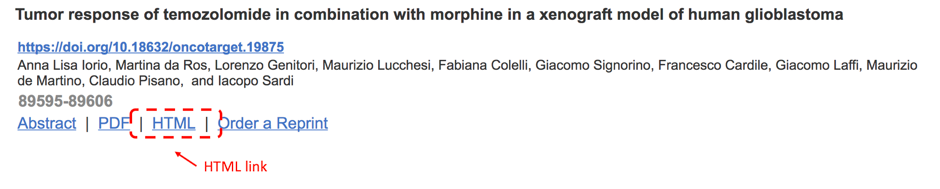
- Locate any article having a link to HTML (see screenshot below). Click on HTML link.
- Once you clicked on HTML, you see article URL in the browser address bar (see screenshot below). Locate “view&path%5B%5D=” part of URL and replace the number for PII you are going to review. Hit Enter.

- On the article page click on HTML link. You will get to article HTML page.
- Take a look at TOC Section Title (see screenshot below).
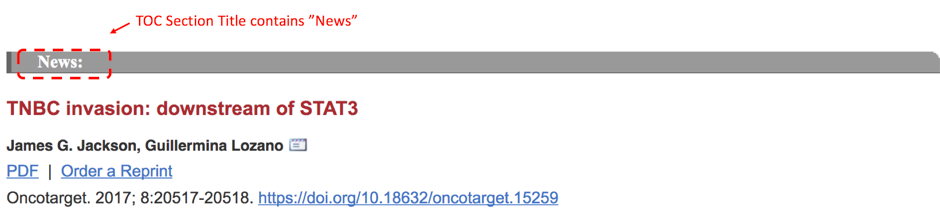
- If you see there “News” or “Editorials”, then go here to check review instructions.
- If you see there something else (NOT “News” or “Editorials”), then go here.